
Compare Our Medical Alert Systems
Prices shown are our annual-pay rate (billed once per year at the lowest monthly equivalent). Month-to-month billing is also available at a slightly higher rate with no long-term contract, no rate increases, and no equipment to buy. Call (510) 338-3466 for details.
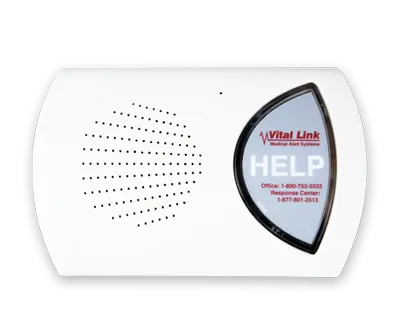 📞 Landline
 Home Link
- Uses your existing landline connection
- 2-Way Voice Communication
- Optional Fall Detection
- No Charging Required
Who is this best for?
Great for those who want reliable, budget-friendly home protection and already have a landline.
Learn More 📶 Cellular Cellular Home Link
- Cellular (no landline required)
- 2-Way Voice Communication
- Optional Fall Detection
- No Charging Required
Who is this best for?
Ideal for seniors who want simple, in-home safety without needing a landline connection.
Learn More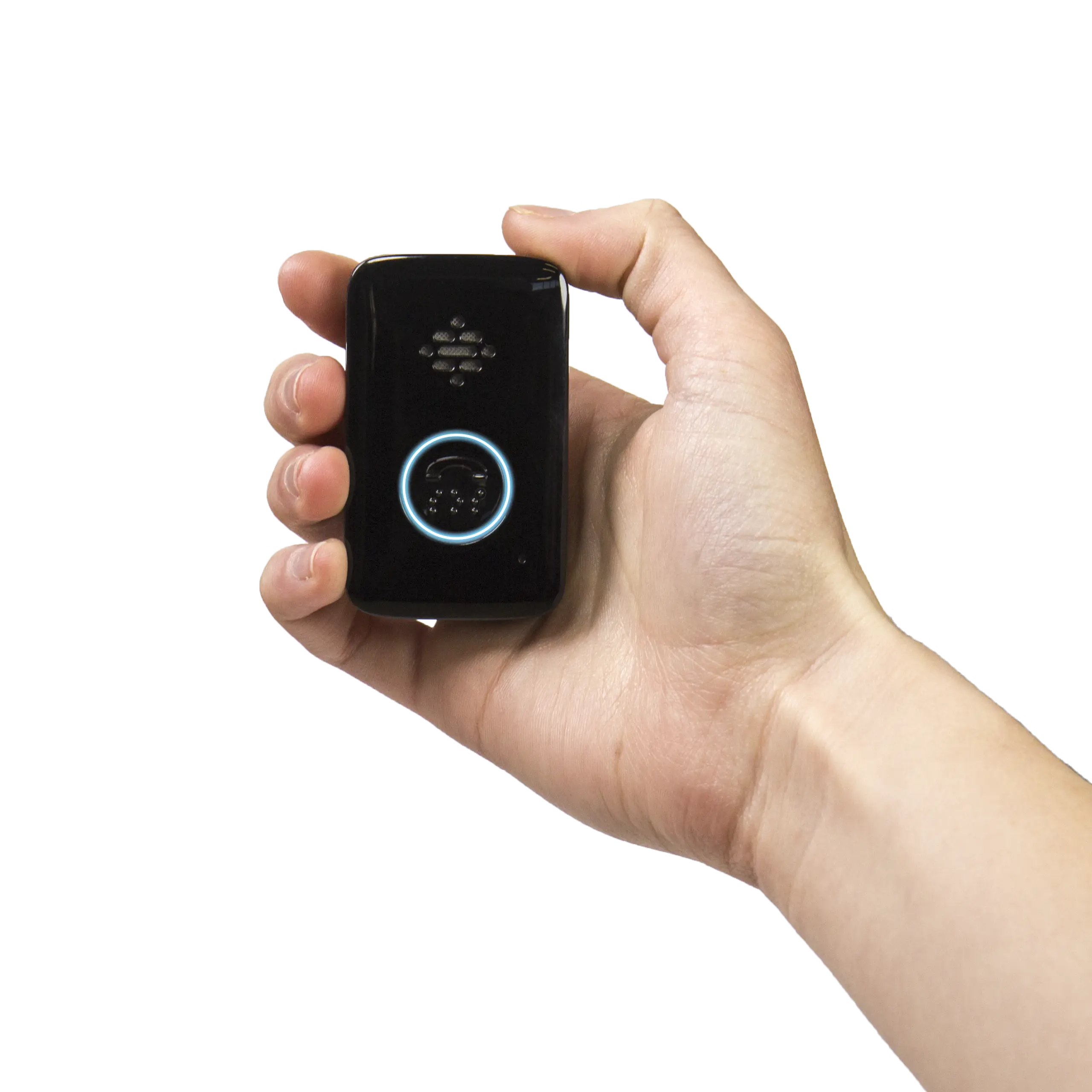
Mobile Link
- Nationwide Coverage
- Up to 45 days per charge
- Simplest and easiest mobile device
- No Fall Detection
Who is this best for?
Perfect for active users who travel around town and want long-lasting battery life without the need for fall detection.
Learn More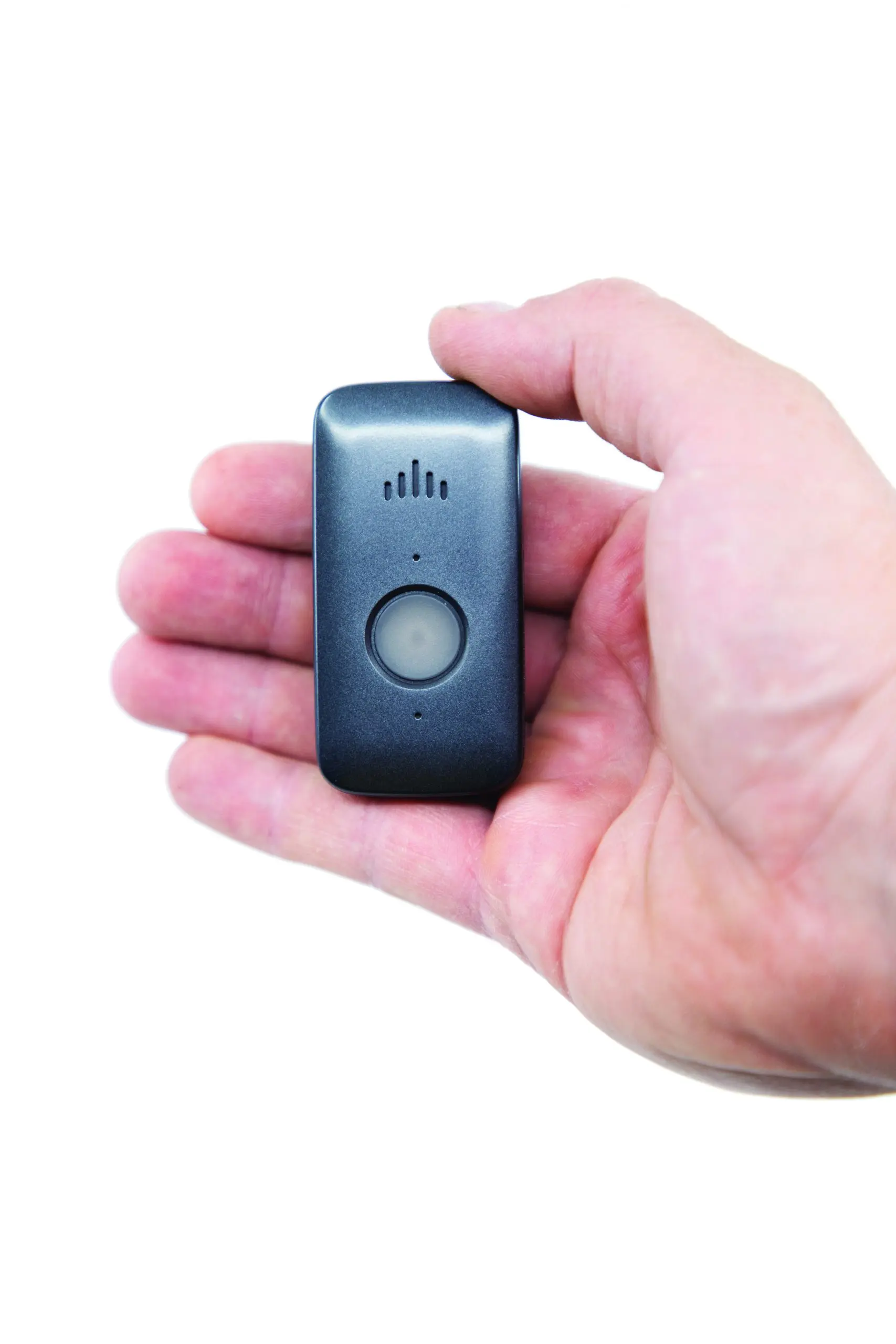
Mobile X
- Fall Detection Included
- Nationwide Coverage
- 6 to 16 days per charge
- Optional Caregiver App ($10/month)
Who is this best for?
Ideal for seniors who want fall detection and GPS tracking, and for caregivers who benefit from app-based alerts and location updates.
Learn More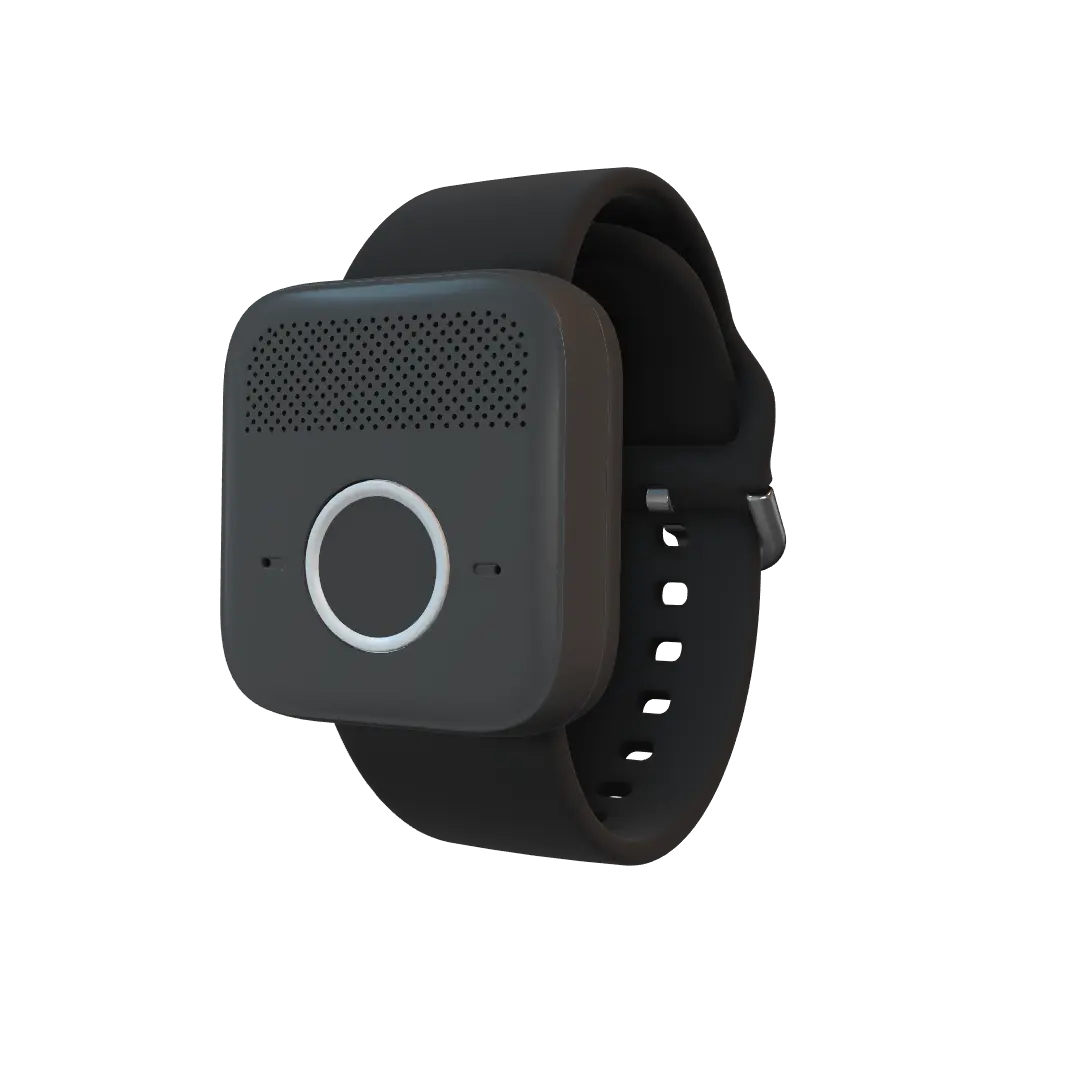
Mobile W
- Fall Detection Included
- Nationwide Coverage
- Up to 7 days per charge
- Wrist or Neck, Smaller
Who is this best for?
Same price and same fall detection as the Mobile X, but smaller, and it can be worn on the wrist or on a neck lanyard.
Learn MoreAll prices shown as annual-pay rate. Month-to-month billing available with no long-term contract. Call (510) 338-3466 for a free in-home consultation.
| Feature | |||||
|---|---|---|---|---|---|
| Starting at | $26.95/mo.$29/mo. month-to-month | $32.95/mo.$34.95/mo. month-to-month | $34.95/mo.$39.95/mo. month-to-month | $40.95/mo.$44.95/mo. month-to-month | $40.95/mo.$44.95/mo. month-to-month |
| Connection | Landline | AT&T and Verizon | Verizon | Verizon | Verizon |
| Range | 600–1000 ft from base | 600–1000 ft from base | Unlimited (in the USA) | Unlimited (in the USA) | Unlimited (in the USA) |
| Battery Life (Base Station) | Wall outlet + 60hr backup | Wall outlet + 27hr backup | Up to 45 days | 6 to 16 days | Up to 7 days |
| Battery Life (Button) | 8–10 years | 8–10 years | Up to 45 days | 6 to 16 days | Up to 7 days |
| Recharging Needed | — | — | ✓ | ✓ | ✓ |
| 2-Way Voice | ✓ | ✓ | ✓ | ✓ | ✓ |
| LTE Available | — | ✓ | ✓ | ✓ | ✓ |
| GPS Locating | — | — | — | ✓ | — |
| Wi-Fi Location | — | — | ✓ | ✓ | ✓ |
| Low Battery Alerts | ✓ | ✓ | ✓ | ✓ | ✓ |
| Shower-Safe | ✓ | ✓ | ✓ | ✓ | ✓ |
| Fall Detection Available | ✓ | ✓ | — | ✓ | ✓ |
| Wrist Button Available | ✓ | ✓ | — | — | ✓ |
| Caregiver App | — | — | — | $10/month | — |

